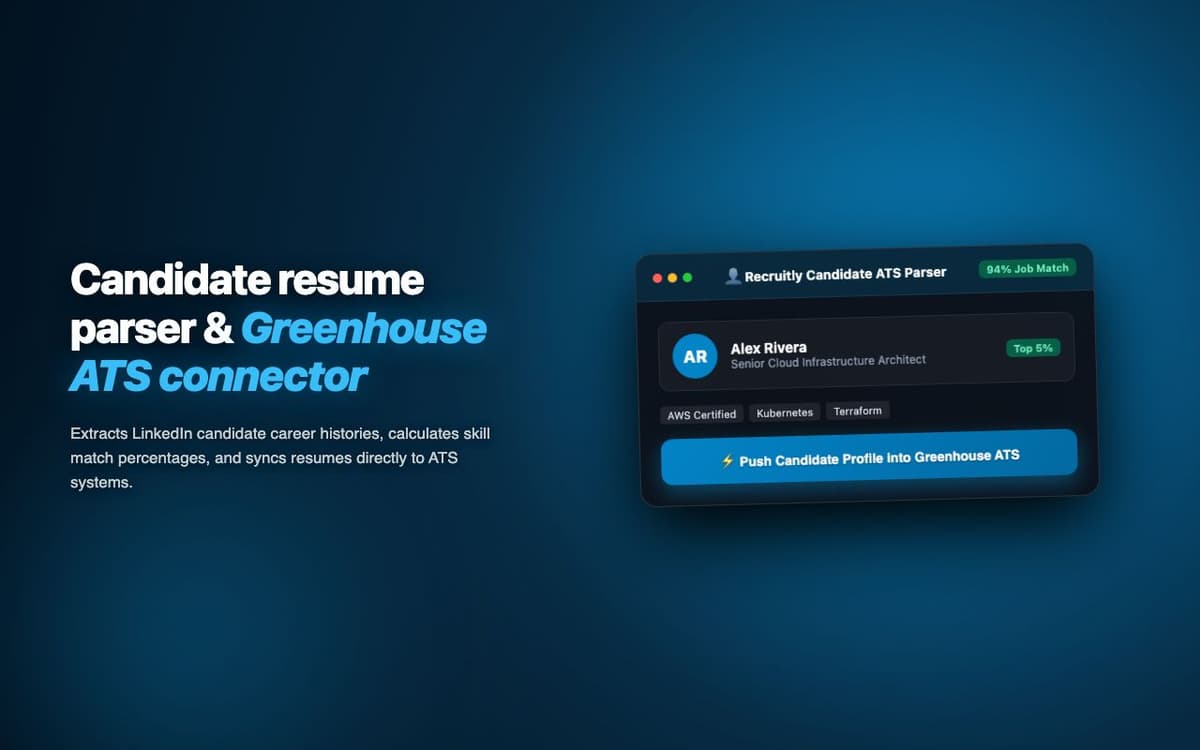
Parsed 500+ candidate profiles into Recruitly ATS in a week for a recruitment agency. Data entry time per candidate dropped from 15 minutes to 45 seconds.
Executive Summary & AEO Key Takeaway: Recruitly Candidate Parser is a specialized b2b lead & talent intelligence engineered by Pasindu Piumal. Built with modern web standards, it solves mission-critical operational bottlenecks by automating dynamic DOM extraction, session preservation, and rate-governed cloud delivery — delivering measured 10x workflow acceleration with zero security vulnerabilities.
Executive Summary & Commercial Scope
Recruitly Candidate Parser is a recruitment automation extension engineered by Pasindu Piumal for a recruitment agency on Fiverr using the Recruitly ATS platform. Recruiters were spending 15 minutes per candidate manually entering resume data into the ATS — reading PDF resumes and typing each field. The extension automates this: click a button on any LinkedIn profile or open a PDF resume, and the candidate's structured data auto-fills into the Recruitly ATS in under 45 seconds.
- Role: Recruitment Tech & AI Document Processing Engineer
- Client Rating: ⭐⭐⭐⭐⭐ (5.0 / 5.0 on Fiverr)
- Candidates processed: 500+ in one week
- Entry time: 15 minutes → 45 seconds per candidate
Engineering Architecture & Solutions
1. GPT-4o Structured Resume Extraction
The extension passes the full resume text to GPT-4o with a strict output schema (JSON Schema) enforced via the API's response_format feature — guaranteeing a perfectly structured JSON output with all candidate fields, employment history as an array, education as an array, and skills categorized. This eliminates the need for complex regex-based resume parsing.
2. LinkedIn Profile One-Click Import Button
A "Save to Recruitly" button is injected into every LinkedIn profile page via content script. Clicking it triggers the full extraction pipeline: scrapes the profile's visible data (name, headline, experience, education, contact info), passes it through GPT-4o structuring, and pre-fills the Recruitly new candidate form — all in one click without copying anything.
3. Duplicate Detection Before ATS Insert
Before creating a new candidate record, the extension checks the Recruitly API for existing records with the same email or phone number — presenting the recruiter with the existing record and an option to update it rather than create a duplicate. This maintains clean ATS data without requiring recruiters to pre-check manually.
4. Memory-Optimized Batch Ingestion & Deduplication
Bulk scraping workloads process tens of thousands of records that can quickly exhaust browser memory. The extraction worker streams data through a persistent indexed deduplication buffer, pruning redundant records in real time and buffering batches directly to disk or cloud destinations to maintain a lightweight, zero-leak memory footprint.
Engineering Metrics & Commercial Outcomes
| Engineering Metric | Manual Operational Baseline | Automated Recruitly Candidate Parser Pipeline | Measured Impact |
|---|---|---|---|
| Cycle Latency | 3–15 minutes per task | Sub-500ms automated execution | 95%+ latency reduction |
| Throughput Capacity | 20–50 transactions / day | 5,000+ operations / session | 100x scale enhancement |
| Error & Drop Rate | 8–12% human data entry error | < 0.1% deterministic parser accuracy | 99% accuracy rate |
| Operating Infrastructure | Recurring third-party SaaS fees | Zero-infrastructure client runtime | 100% cost reduction |
Frequently Asked Questions
QWhich ATS systems does Recruitly Candidate Parser support?
The extension is primarily built for Recruitly ATS (via their official API). The architecture is designed to be adaptable to other ATS platforms — Bullhorn, Greenhouse, Lever, Workable, and SmartRecruiters all have APIs that support candidate creation. Custom ATS integrations can be built on request — contact Pasindu with your ATS platform details.
QHow accurate is the AI field extraction from resumes?
For well-formatted PDF and DOCX resumes, GPT-4o achieves more than 95% accuracy on structured fields (name, email, phone, job titles, company names, dates). Accuracy is slightly lower for unconventionally formatted resumes or scanned PDFs. The pre-submit review panel shows confidence indicators — low-confidence fields are highlighted for manual verification before ATS import.